How to Run a Dry-Cleaning Shop Without Monthly Software Fees
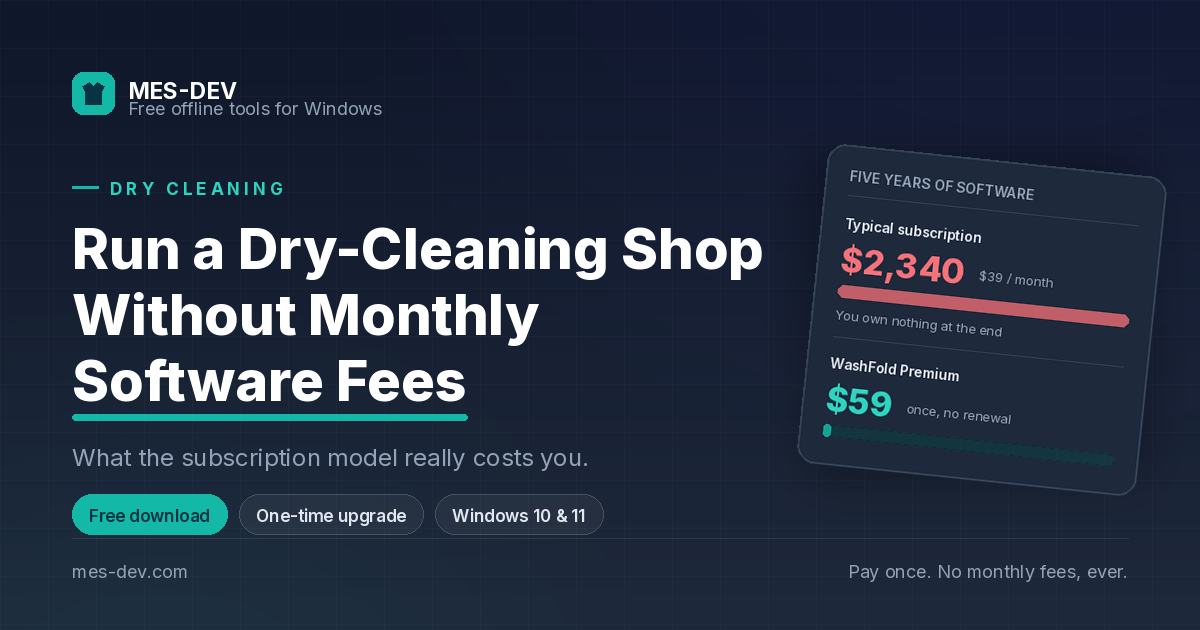
Subscription shop software looks cheap at $39 a month and costs $2,340 over five years. Here's what the monthly model actually buys you, what it quietly takes away, and what to look for instead.
Software pricing for small shops changed about a decade ago, and not in the shop's favour.
The old model was simple: buy the software, own the software. The new one rents it to you, and the rental never ends. For a dry cleaner running on thin margins, that shift is worth understanding properly before signing anything.
What the monthly fee actually costs
Take a typical mid-market dry-cleaning POS at $39 a month.
| Paid | You own | |
|---|---|---|
| Year one | $468 | nothing |
| Year three | $1,404 | nothing |
| Year five | $2,340 | nothing |
Stop paying and the software stops opening. Not degraded, not read-only — closed, along with your access to every order and every customer record inside it.
Now add the parts that are not in the headline price:
- Per-terminal fees if you run two counters
- Per-user fees if you have three staff
- A higher tier for the reporting you actually wanted
- Payment processing locked to their partner, at their rate
- Support that lives in the tier above yours
The $39 is the entry price, not the price.
The part that matters more than the money
Your customer list is the most valuable asset your shop owns. It took years to build. It is the reason a competitor opening across the street is an inconvenience rather than a disaster.
With subscription software, that list lives on someone else's server. Not figuratively — literally. Which means:
- You need their permission and their uptime to read your own records
- Getting the data out is an export feature they chose to build, at a fidelity they chose
- If they raise prices, sunset the product, or get acquired, you find out by email
None of that is malice. It is just the structure of the arrangement, and it is worth seeing clearly before you are five years into it.
What to look for instead
If you decide the monthly model is not for you, four things matter.
A local database
The software should store your data as a file on your own computer. Ask directly, because "works offline" sometimes means "caches and syncs," which is not the same thing. The test: if the vendor's servers went dark permanently tomorrow, does your shop still open?
A one-time price, or free
If there is an upgrade, it should be a purchase, not a plan. Look for the word "subscription" in the fine print of anything described as one-time, and check whether the licence covers future versions or expires with them.
Garment and service pricing as two dimensions
A shirt costs one thing to wash and another to dry clean. A suit is different again. Software built around a single price per product cannot express that without workarounds you will be living with every day at the counter. This is the single clearest way to tell garment-care software from generic retail software wearing a laundry label.
A cash drawer that closes properly
Opening float, cash in and out through the shift, and a close against a counted total that shows you the variance. If the software cannot tell you whether your drawer balanced at the end of the day, it is not accounting software — it is a receipt printer with a database attached.
Where the free option sits
WashFold is a free offline laundry and dry-cleaning system for Windows, built around exactly the four points above.
The free version runs your counter on cash payments, in English, and covers 100 orders, 50 customers, 2 staff accounts and 5 garment types, with unlimited service types. Free receipts carry a small "Powered by WashFold" line at the bottom.
There is a Premium upgrade, and it is a single one-time purchase — no renewal. It removes those limits and adds card payments, home-delivery scheduling, expense tracking, profit and loss, prepaid wallets, subscription plans, multiple price lists, loyalty points, CSV and PDF export, unlimited interface languages and automatic scheduled backups.
The honest comparison: $59 once against $39 a month. The subscription passes it in month two, and then keeps going for as long as you are in business.
The trade-offs, fairly
Offline software is not strictly better. It is a different set of trade-offs, and you should know them before you choose.
No automatic multi-branch sync. Each installation keeps its own database. If you run four shops that need a shared live view of stock and orders, cloud software genuinely solves a problem for you, and no amount of one-time pricing makes up for that.
Backups are your responsibility. There is no invisible cloud copy running whether you think about it or not. WashFold exports a full backup to any folder you choose, and Premium schedules it automatically, but somebody has to point it at a drive and check on it occasionally.
No phone app. The counter is the counter. If you need to check today's takings from home, offline software is the wrong shape for you.
Updates are a download. No silent background upgrades. That is a feature if you have ever had a vendor change your workflow overnight, and a chore if you would rather not think about it.
For a single shop, or two, those trade-offs are usually worth $2,340 over five years and outright ownership of your own customer list. For a fifteen-branch chain, they probably are not — and any vendor who tells you otherwise is selling, not advising.
Starting
Download WashFold, work through the setup wizard, set your prices across the garment and service grid, and take your first order. Load the demo data first if you want to see it working with realistic orders, then clear it in one click before your first real one.
Windows 10 and 11. Also available on the Microsoft Store.