About this app
Scan normally. Search everything.
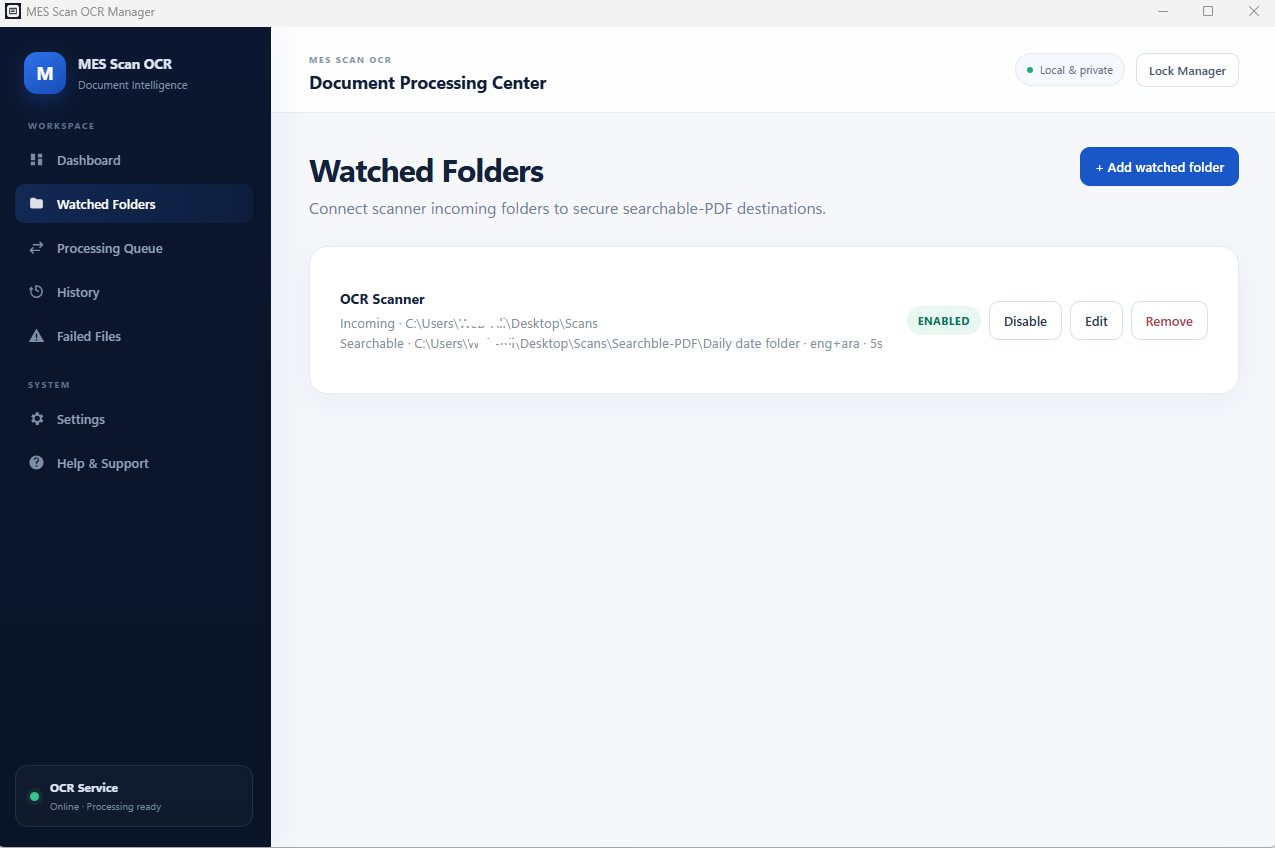
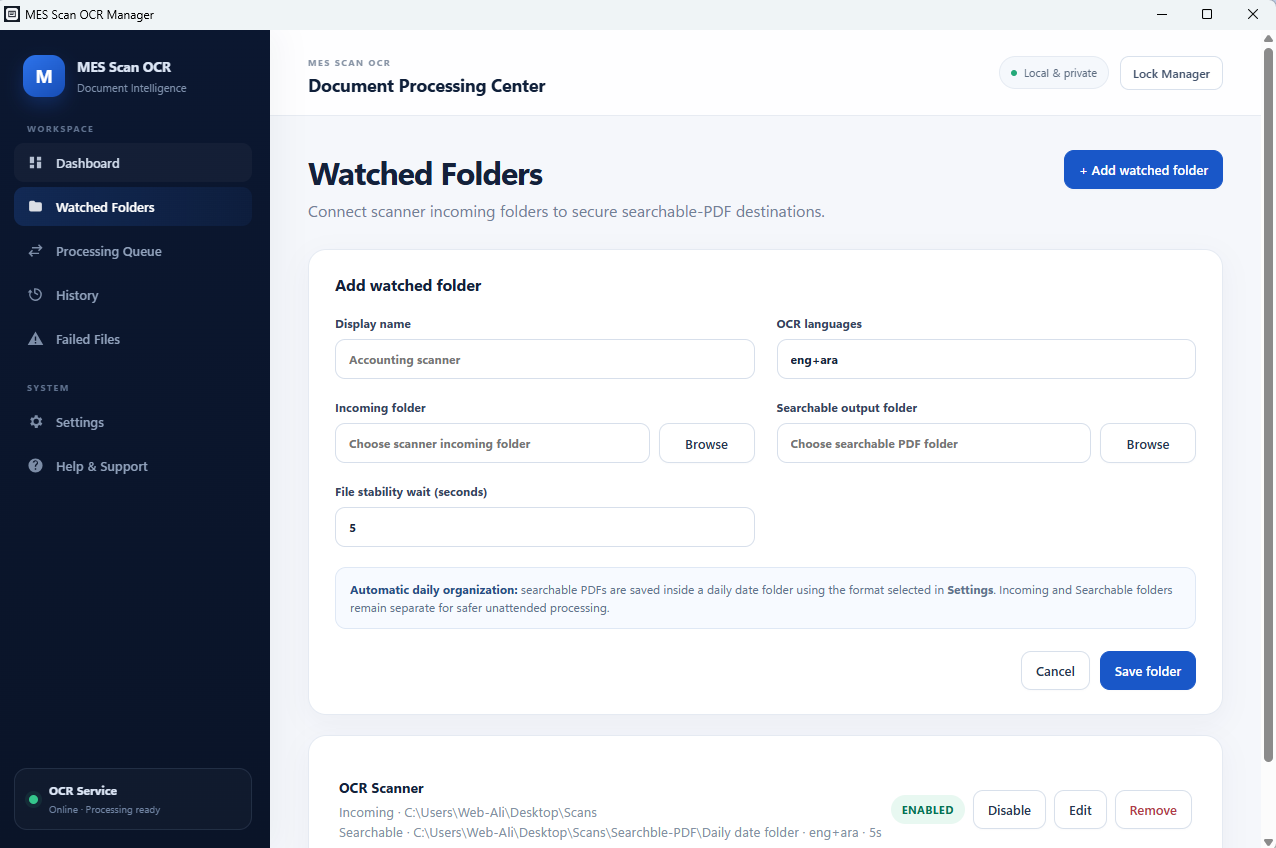
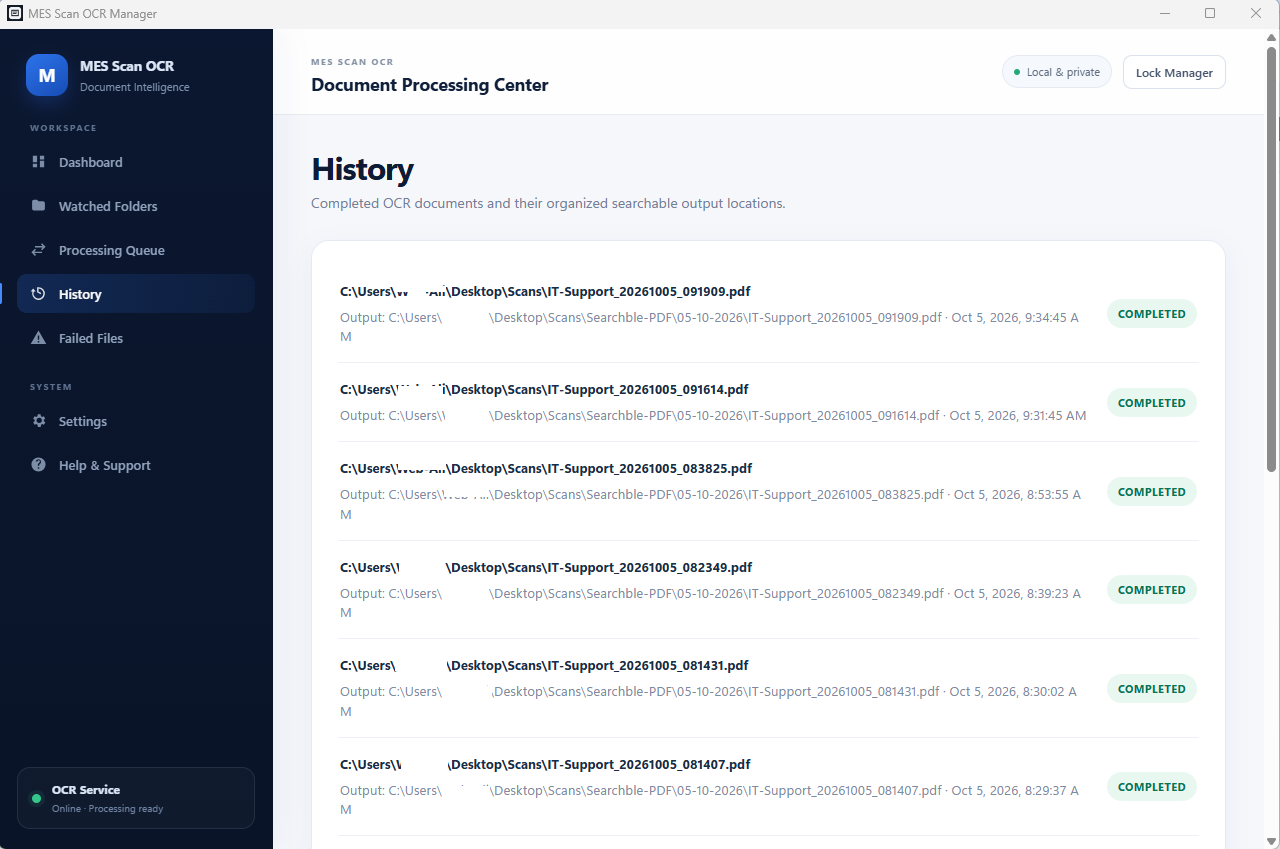
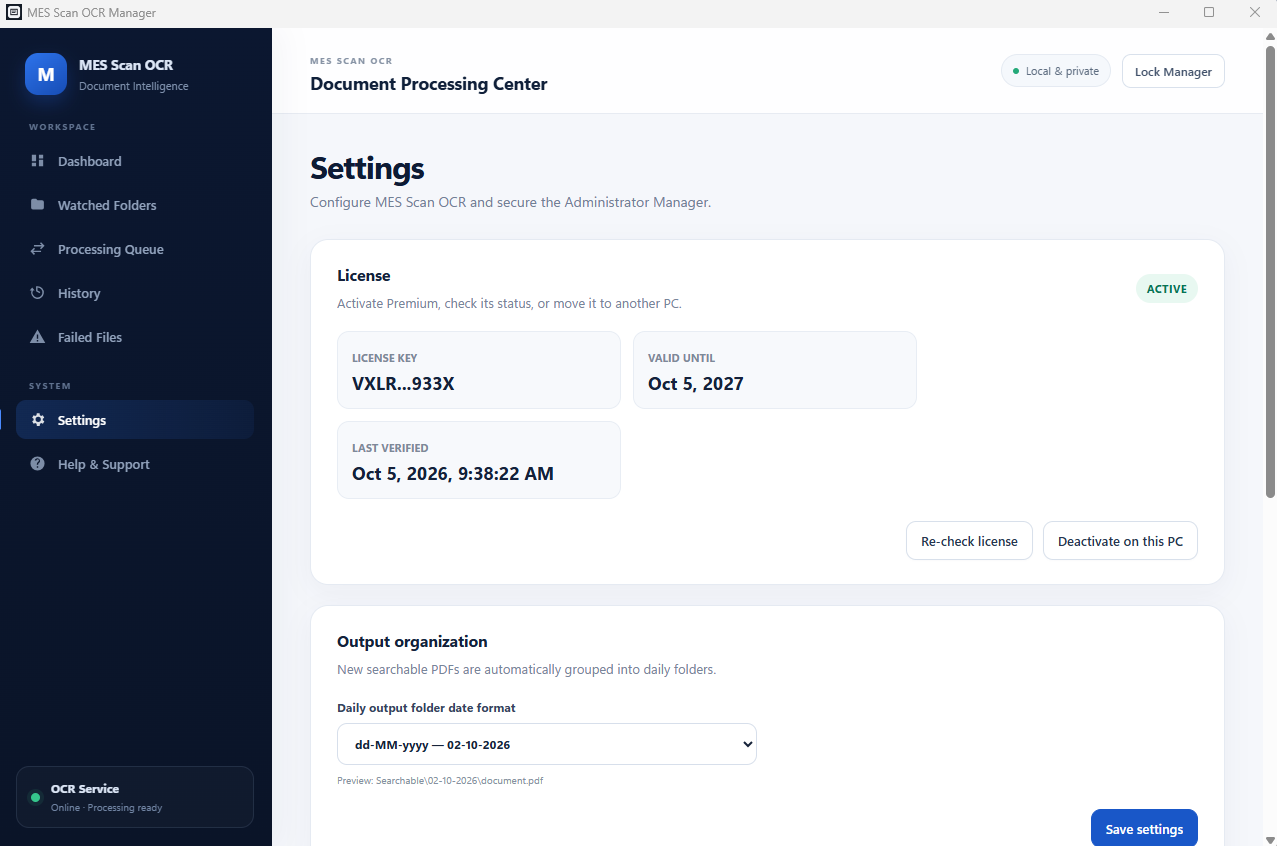
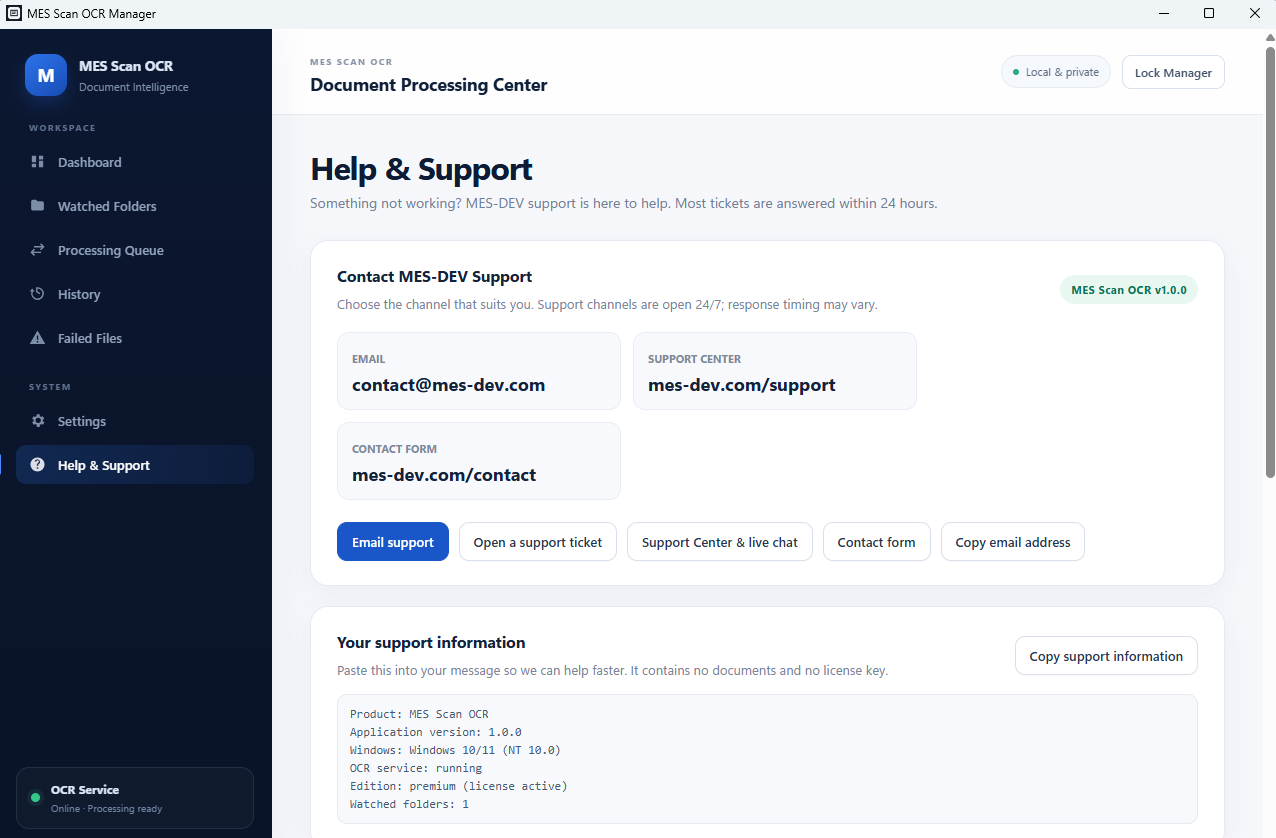
Your scanner already creates PDFs. MES Scan OCR makes them useful. Every day, offices scan contracts, invoices, delivery notes, HR files, customer records and archived paperwork. The PDF looks right, but the words inside are only pixels, so Windows and PDF readers cannot search them. MES Scan OCR fixes that automatically. Keep using the photocopier or scanner you already have. Scan to your normal Windows or network folder. MES Scan OCR watches that folder in the background, waits until the scanner has finished writing the PDF, runs OCR, and saves a searchable, selectable PDF in your output folder. The scanned page keeps its original look; an invisible text layer is added for search and text selection. Compatible with the copiers and scanners offices already own: SHARP, Konica Minolta, Ricoh, HP, Kyocera, Canon, Xerox, Brother, Epson, Lexmark and more. If it can scan to a PDF in a folder, MES Scan OCR can make that PDF searchable. No new scanning habit to teach. No uploading confidential documents to a website. No opening an OCR program for every scan. Scan normally. Search everything. HOW IT WORKS 1. Scan from your copier, MFP or document scanner as usual. 2. The PDF lands in your Incoming folder. 3. MES Scan OCR detects the finished file and runs OCR (with orientation and deskew correction where needed). 4. A searchable PDF is saved in your Searchable folder, organised in a daily dated folder. 5. Review history and failures in the Manager at any time. COMPATIBLE WITH THE COPIERS AND SCANNERS YOU ALREADY OWN Keep your current machines. MES Scan OCR works with the PDF files your scanner or photocopier already produces, so there is no special driver, no firmware change and no brand lock-in. If your device can "scan to folder" (SMB / network share) or save a standard PDF to a Windows folder, it fits. Works with PDF scans from: - SHARP: BP Series, MX Series and other SHARP multifunction copiers - Konica Minolta: bizhub and bizhub i-Series multifunction systems - Ricoh: IM Series, M Series, MP Series, C Series and other Ricoh MFPs - HP: LaserJet Enterprise MFP, Color LaserJet MFP, OfficeJet Pro and ScanJet document scanners - Kyocera: TASKalfa and ECOSYS multifunction devices - Canon: imageRUNNER ADVANCE, imageRUNNER and imageCLASS copiers, and DR-series document scanners - Xerox: AltaLink, VersaLink, WorkCentre and PrimeLink copiers - Brother: MFC and DCP multifunction devices and ADS-series document scanners - Epson: WorkForce Enterprise / Pro devices and DS-series document scanners - Lexmark: CX and MX multifunction printers - Fujitsu, Toshiba, Panasonic, OKI and any other scanner, copier or scanning application that saves PDFs to a folder Switch brands or add a second copier later and nothing changes: point the new device at an Incoming folder and you are done. One MES Scan OCR PC can serve scanners from different manufacturers at the same time. Please note: compatibility is based on standard PDF output and folder access, not on an official certification for every individual model. Scan-to-folder setup on the device itself is done through the device's own settings. LOCAL AND NETWORK FOLDERS Watch a local folder for a USB scanner, a shared folder for an office copier, or a UNC share such as \\FILESERVER\Scans\Incoming for a departmental MFP. Premium supports separate watched folders per scanner or department. Incoming and Searchable folders are always different, so your original scan is never overwritten. DAILY ORGANISATION Results are filed automatically in a folder named for the processing date, in your choice of format: dd-MM-yyyy, MM-dd-yyyy, dd-MMM-yyyy or yyyy-MM-dd. ENGLISH AND ARABIC Built for bilingual offices: English scans, Arabic scans, mixed English/Arabic documents, rotated pages and slightly skewed scans. RUNS IN THE BACKGROUND OCR is done by a Windows Service that starts with Windows. Close the Manager, sign out or reboot, and scanning keeps working. Open the Manager only to configure folders, review history, check failures or manage your license. SAFE BY DESIGN - Waits for each file to finish writing before processing - Never overwrites or deletes your original scan - Records failures for review and retry instead of looping forever - Survives an unavailable output folder or a network share that goes offline - Reports corrupt or password-protected PDFs as failures instead of producing a bad file An OCR problem should never become a document-loss problem. BUILT-IN MANAGER Dashboard with service status and usage, watched-folder setup, output and date-folder settings, processing history, failed-job retry, license activation and administrator password management. On first launch you create your own administrator account; there is no shared default password, and passwords are stored as salted hashes. PRIVATE BY DESIGN OCR runs on your own Windows PC. Your scanned documents are not uploaded to an online OCR service. Internet access is only used for licensing and online product services. SELF-CONTAINED INSTALLER The installer includes everything needed for OCR. You do not install Python, Tesseract, Ghostscript, OCRmyPDF or anything else yourself. Install, choose your folders, start scanning. FREE EDITION: TRY IT WITH REAL SCANS - Real OCR, same engine as Premium - Up to 3 pages per day and 20 pages per month - PDFs smaller than 2 MB - History of the latest 10 jobs If a document is larger than your remaining quota it is blocked as a whole, never half-processed, and the original stays untouched. PREMIUM: FOR EVERYDAY AUTOMATED SCANNING Premium removes the Free caps for larger PDFs, higher daily and monthly volume, multiple watched folders, multiple scanners and departments, network scanning and unattended use. Premium is an annual subscription for one Windows PC. A license can be moved to a new PC by deactivating it on the old one and activating it on the new one. If the old PC is unavailable, MES-DEV Support can help. IDEAL FOR Accounting and HR departments, administration teams, document archives, automotive businesses and workshops, warehouses, legal and consulting offices, schools, healthcare administration, real-estate offices, scanning stations and anyone digitising a paper archive. Typical documents: invoices, quotations, purchase orders, delivery notes, contracts, employee and customer files, supplier documents, letters, technical reports, warranty and vehicle documents. SYSTEM REQUIREMENTS Windows 10 or 11, 64-bit. A modern PC is recommended; OCR speed depends on page count, scan resolution and CPU. Internet is needed for licensing, and a network connection is needed for SMB/UNC scanner shares. SUPPORT Open Help & Support inside the app, or visit mes-dev.com/support. Email: contact@mes-dev.com. Please send a screenshot of the error rather than confidential documents. Need a custom workflow or team licensing? Contact us at mes-dev.com/contact.
Screenshots
1 / 6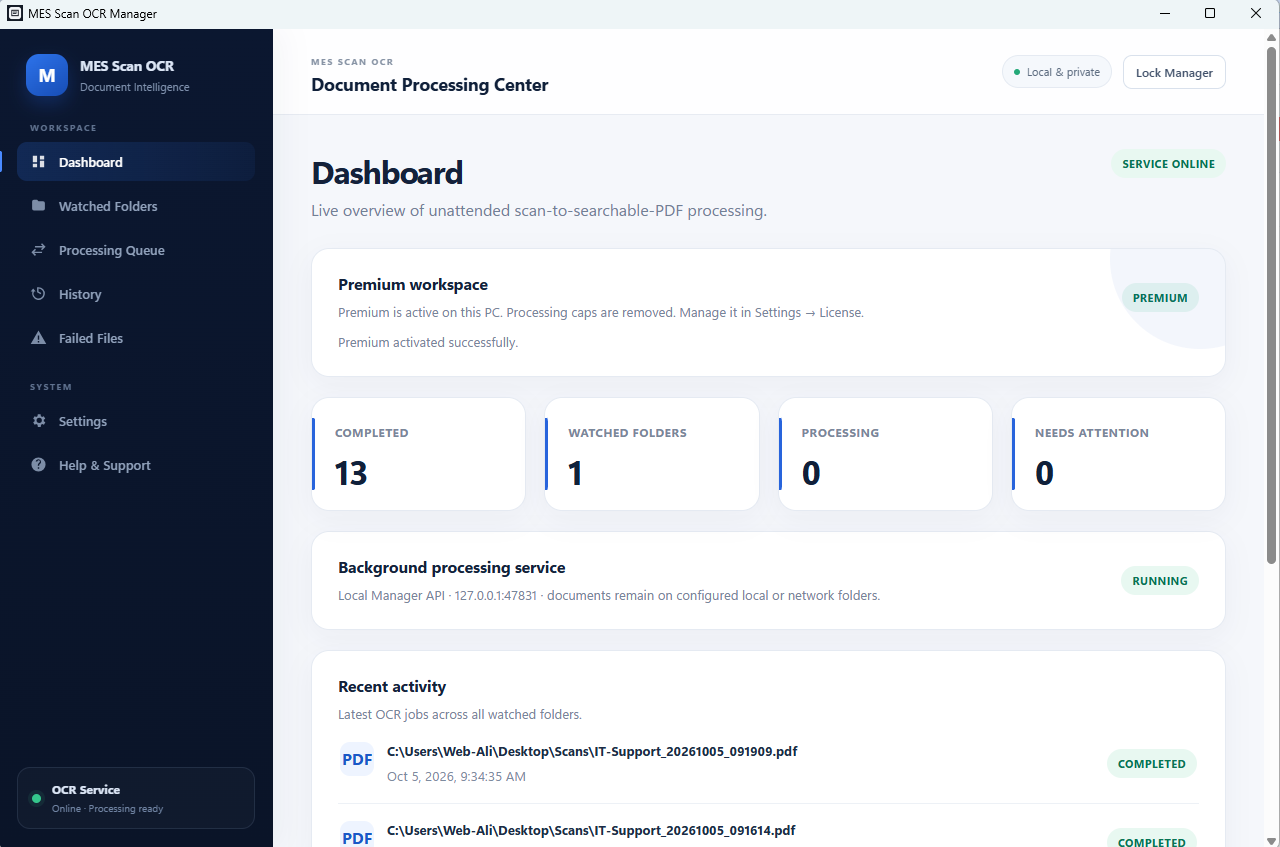
Changelog
Frequently asked questions
Is MES Scan OCR free?
Yes. MES Scan OCR is free to download and use. It also has an optional Premium upgrade for $79.00 / year, renewing every year until you cancel. Premium is never required to use the free version.
Does MES Scan OCR work offline?
Yes. MES Scan OCR does its work on your own computer, so no internet connection is needed to use it.
Which computers can run MES Scan OCR?
MES Scan OCR is a desktop app for Windows. It installs on your computer like any other program; it is not a website or a phone app.
How big is the MES Scan OCR download?
The installer is about 159.6 MB.
What is the latest version of MES Scan OCR?
The latest version is 1.0.0, released July 14, 2026. The page lists what changed in each release under Changelog.
How do I get help with MES Scan OCR?
Use the Support Center on this website: you can chat, open a ticket or send an email, and the developer answers directly.
User reviews
Write a review
Download MES Scan OCR and we'll email you a link to leave a review — no account needed.
No reviews yet — be the first!
Related apps

Productivity
CodeCraft
CodeCraft is a free desktop application that lets you generate QR codes and barcodes in seconds. Supports 7 QR types and 7 barcode formats with live preview and one-click export.

Productivity
InvoiceCraft
Free offline invoicing for Windows. Live preview, PDF export, 4 templates including Arabic RTL, tax & discounts, clients and reports. No account, no subscription.

Productivity
ConvertCraft
ConvertCraft is a free Windows converter: 14 unit categories, 162 currencies with live rates, world weather and a global hotkey. Works offline. Optional one-time Premium.