About this app
Write, run and debug Python code instantly — no terminal needed.
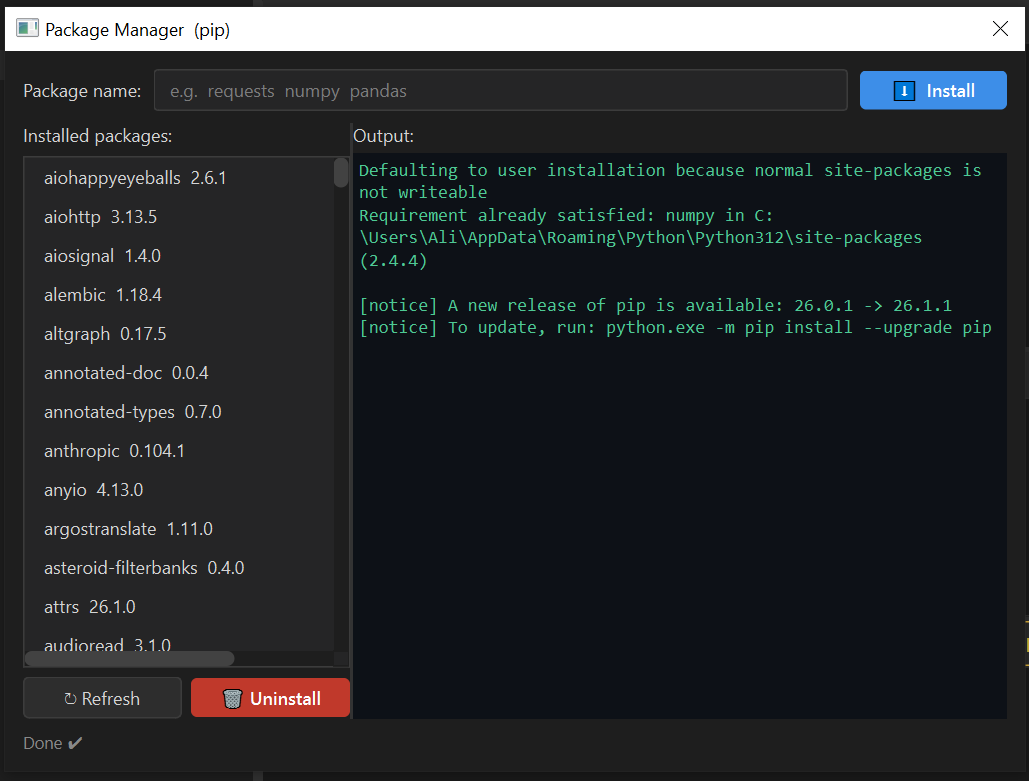
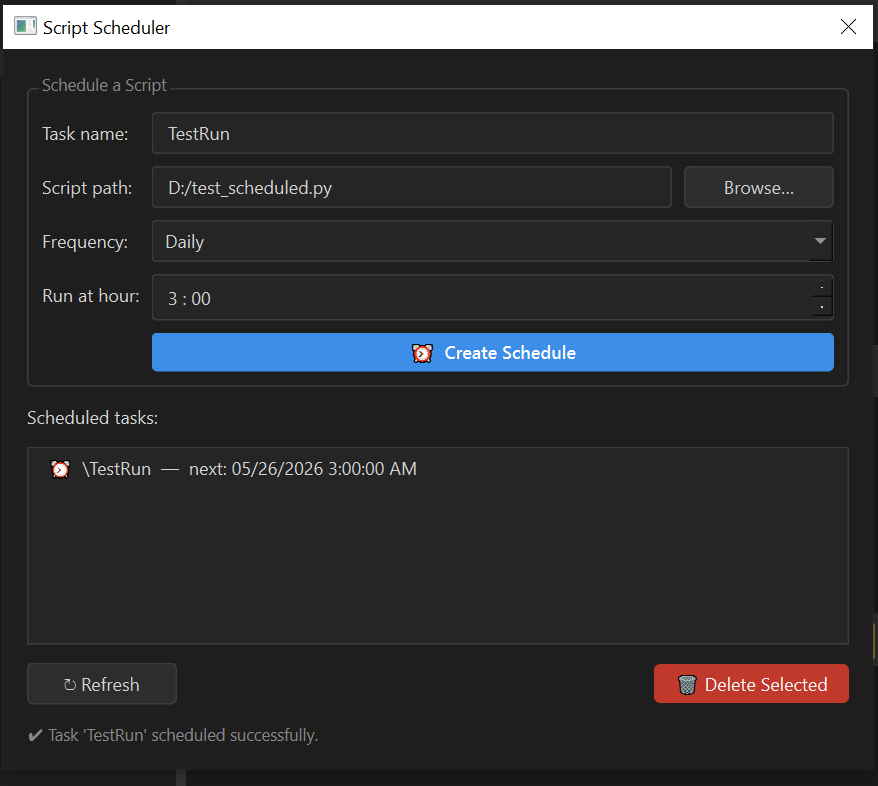
Python Code Runner is a fast, clean desktop application for Windows that lets you write and execute Python scripts instantly — no terminal, no setup, no distractions. Built for developers, students, and automation enthusiasts who want a dedicated Python environment without the overhead of a full IDE. ## ✦ Core Features **Code Editor** - Syntax highlighting with real-time error detection - Autocomplete powered by Jedi (the same engine used by VS Code) - Find & Replace with regex support - Adjustable font size, tab size, and line wrapping **Script Execution** - Run any Python script with one click - Live stdout/stderr output panel - stdin support for interactive scripts - Configurable execution timeout **AI Assistant** (requires API key) - Ask Claude, ChatGPT, or Gemini to explain, fix, or improve your code - AI responses appear directly in the editor **Code Snippets Library** - 120+ built-in snippets covering Strings, Lists, Dicts, Classes, Decorators, Async, Threading, File I/O, SQLite, Regex, and more - Each snippet includes a description explaining best practices and why to use it - Beginner / Intermediate / Advanced levels - Add and save your own custom snippets **Execution History** - Every run is saved with its code, output, and execution time - Load any past run back into the editor in one click **Package Manager** - Install, update, and uninstall pip packages without leaving the app - Live pip output streamed directly to the screen **Script Scheduler** ✦ Premium - Schedule any Python script to run Daily, Weekly, Hourly, or at Windows Startup - Uses Windows Task Scheduler — scripts run even when the app is closed ## ✦ FREE vs PREMIUM | Feature | FREE | PREMIUM | |---|---|---| | Code editor & runner | ✔ | ✔ | | Syntax highlighting | ✔ | ✔ | | Code snippets (120+) | ✔ | ✔ | | Execution history | 5 runs | 50 runs | | AI Assistant | ✗ | ✔ | | Package Manager | ✗ | ✔ | | Script Scheduler | ✗ | ✔ | Unlock Premium with a one-time license key purchase. No subscription. No recurring fees. ## ✦ System Requirements - Windows 10 or later (64-bit) - No Python installation required — bundled with the app - ~45 MB disk space
Screenshots
1 / 6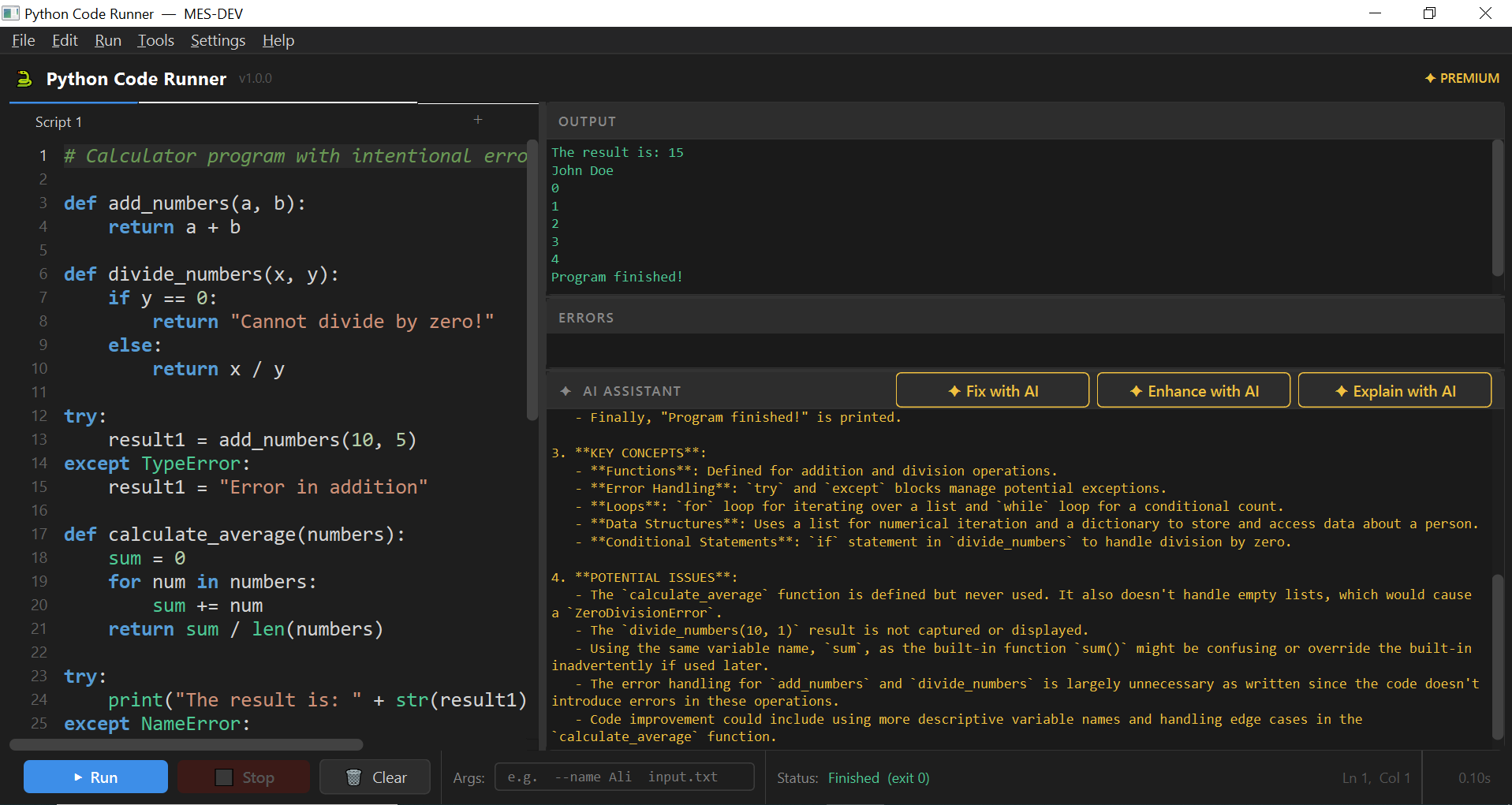
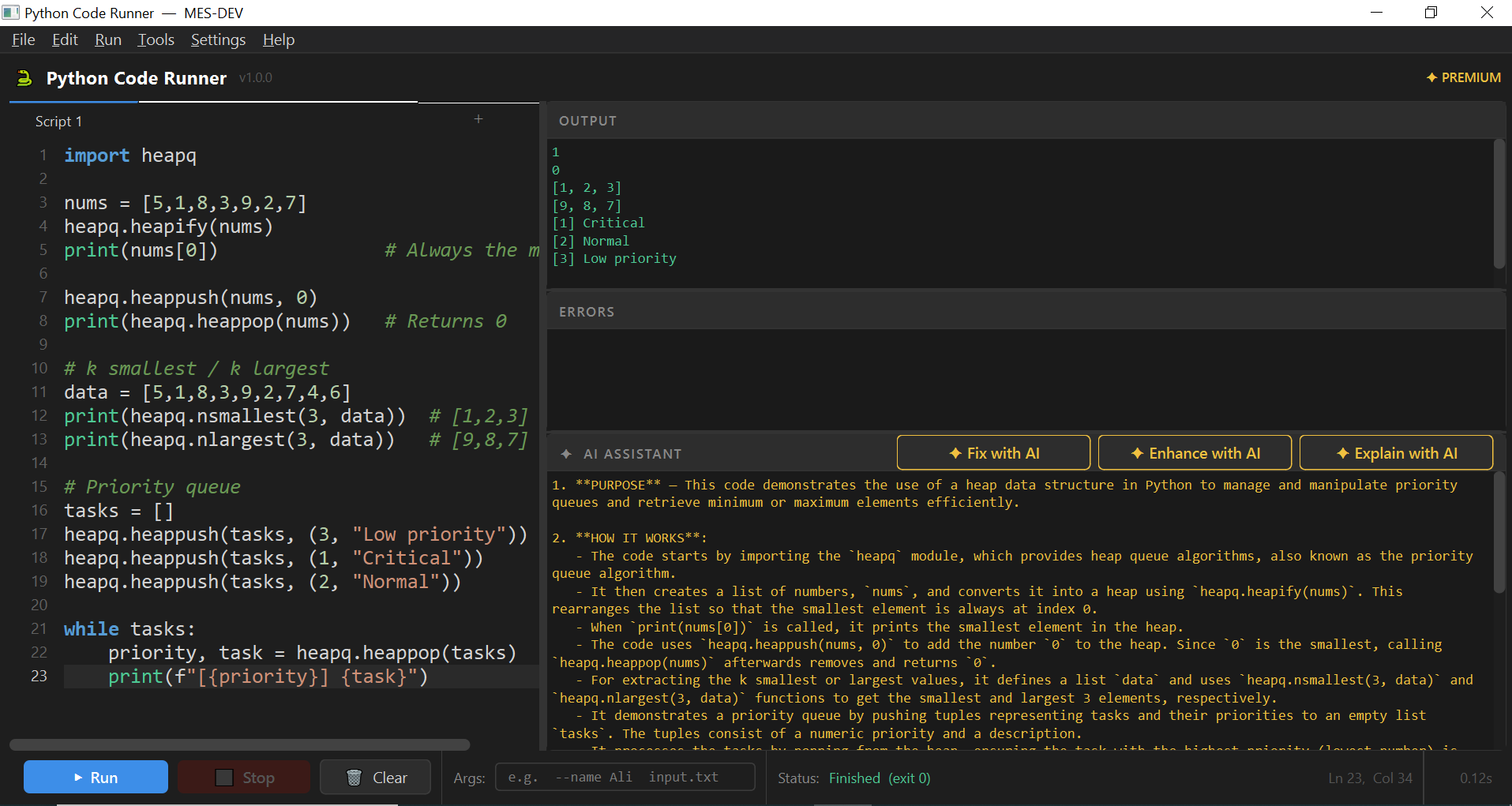
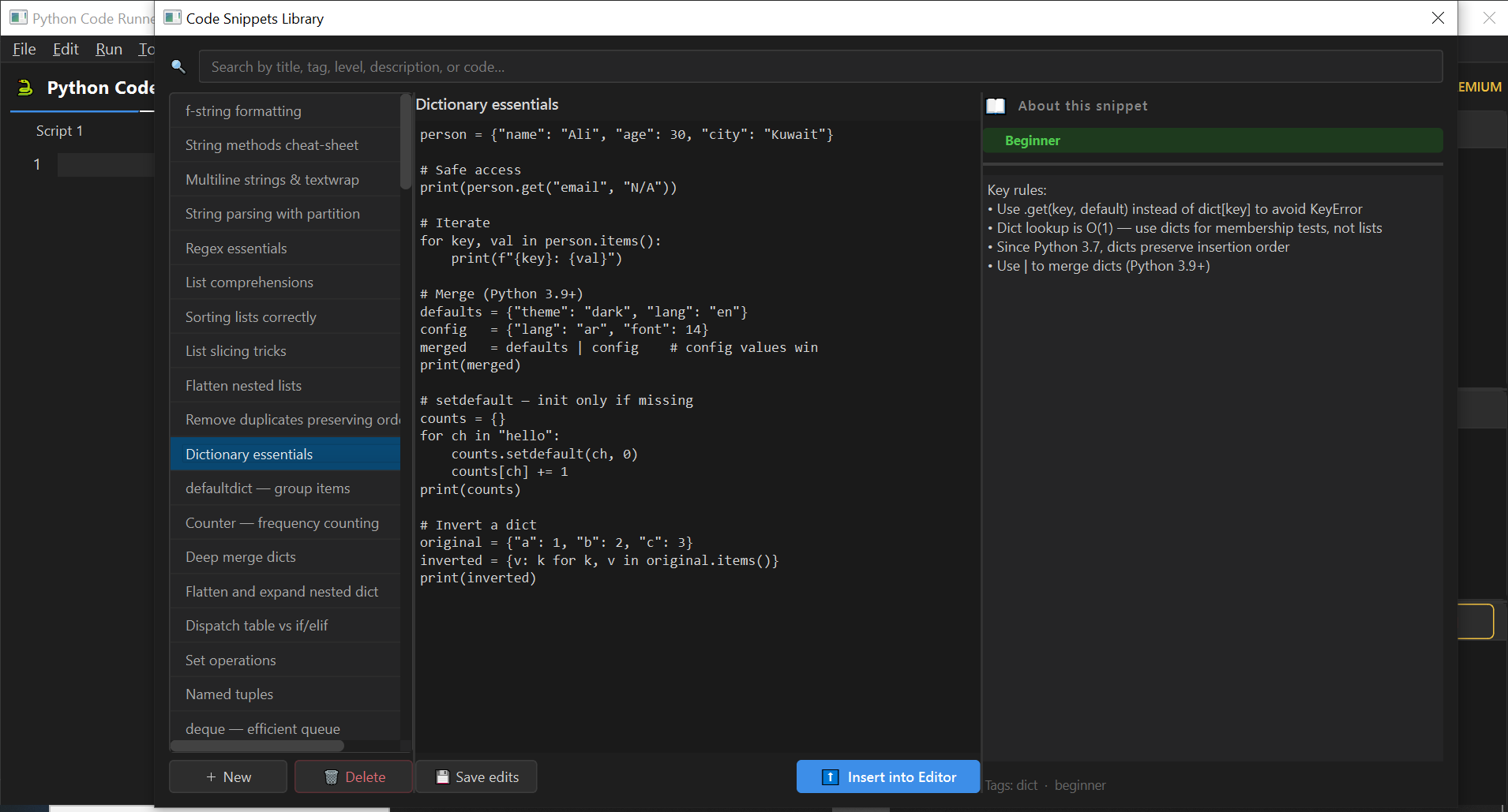
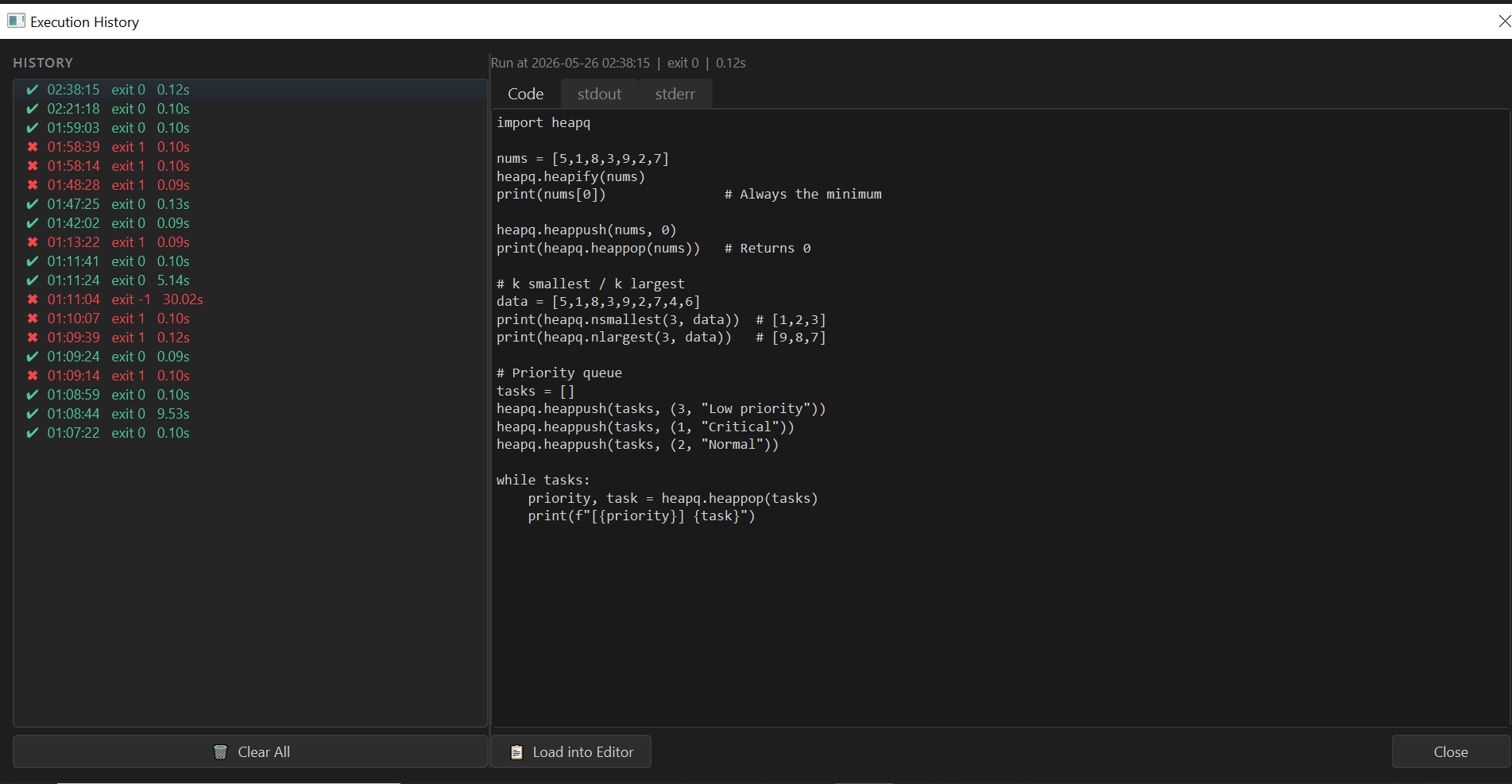
Changelog
Frequently asked questions
Is Python Code Runner free?
Yes. Python Code Runner is free to download and use. It also has an optional Premium upgrade for $10.99 (one-time payment). Premium is never required to use the free version.
Does Python Code Runner work offline?
Yes. Python Code Runner does its work on your own computer, so no internet connection is needed to use it.
Which computers can run Python Code Runner?
Python Code Runner is a desktop app for Windows. It installs on your computer like any other program; it is not a website or a phone app.
How big is the Python Code Runner download?
The installer is about 95.1 MB.
What is the latest version of Python Code Runner?
The latest version is 1.0.0, released August 15, 2026. The page lists what changed in each release under Changelog.
How do I get help with Python Code Runner?
Use the Support Center on this website: you can chat, open a ticket or send an email, and the developer answers directly.
User reviews
Write a review
Download Python Code Runner and we'll email you a link to leave a review — no account needed.
No reviews yet — be the first!
How to do it with Python Code Runner
Short, free guides — every one of these runs entirely on your PC.